Adjust Monitor Brightness
Sponsored Link:
Welcome to Adjust Monitor Brightness
Thank you for installing and using our extension
Tutorial:
- Install the Extension
- After installing the extension, click on the icon on the toolbar.
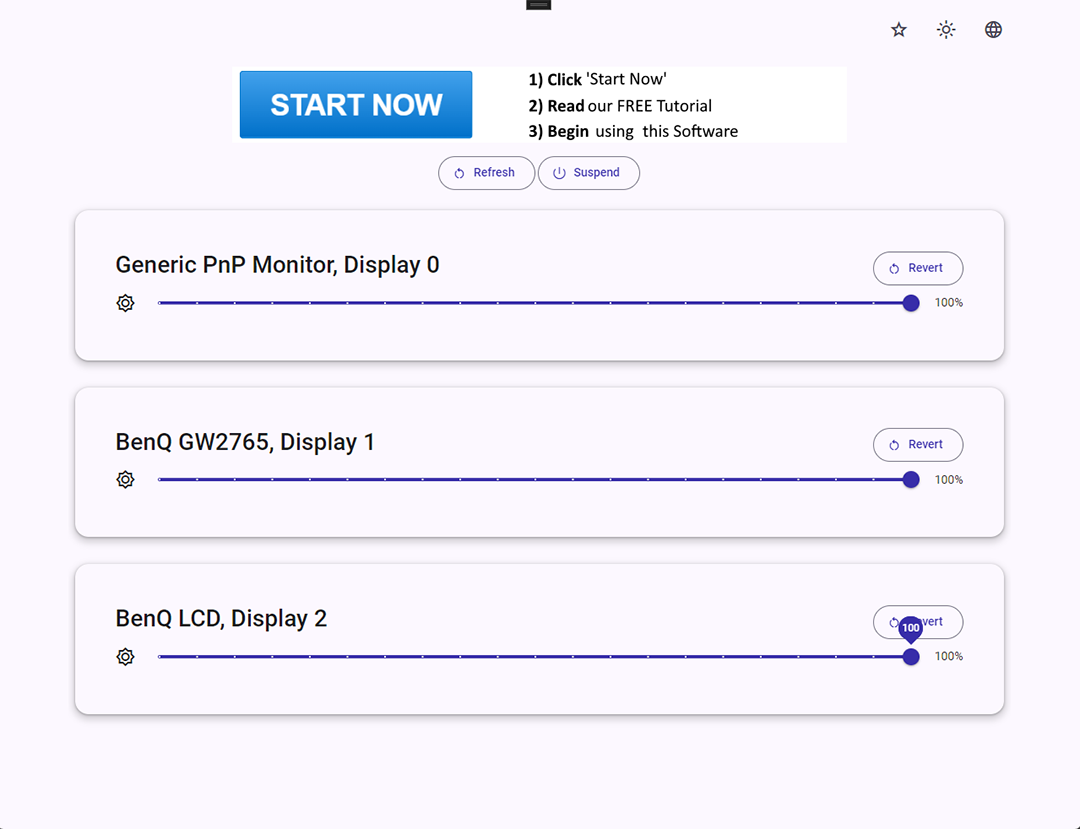
Adjust Monitor Brightness: Your Ultimate Display Control Solution
In a world where screen time is ever-increasing, maintaining the optimal brightness of your external monitors is crucial for both comfort and productivity. Introducing Adjust Monitor Brightness, the ultimate application for Windows users to effortlessly manage the brightness of each external monitor. Designed to work seamlessly with monitors that have DDC/CI (Display Data Channel/Command Interface) enabled, this application puts you in complete control of your display settings.
Adjust Monitor Brightness provides a user-friendly interface that simplifies the process of adjusting brightness levels. Whether you're working in a bright office environment or a dimly lit room, you can easily tailor the brightness of each monitor to suit your needs. The application supports multiple external monitors, allowing you to set individual brightness levels for each one, ensuring a consistent and comfortable viewing experience.
One of the standout features of Adjust Monitor Brightness is its ability to offer granular control over brightness settings. This means you can make precise adjustments to achieve the perfect brightness level, reducing eye strain and improving your overall workspace comfort. Whether you're editing photos, watching videos, or working on documents, having the right brightness setting can make a significant difference in your visual experience.
In addition to its core functionality, Adjust Monitor Brightness is designed with efficiency in mind. The application runs smoothly in the background, consuming minimal system resources, so you can focus on your tasks without any interruptions. With quick access to brightness controls, you can make adjustments on the fly, ensuring your monitors are always set to the ideal brightness level.
Security and compatibility are also key aspects of Adjust Monitor Brightness. The application ensures that your monitor settings are only accessible to you, providing a secure environment for managing your display preferences. It is compatible with a wide range of external monitors that support DDC/CI, making it a versatile solution for various setups and configurations.
In conclusion, Adjust Monitor Brightness is an essential tool for anyone looking to optimize their external monitor settings. With its intuitive interface, granular control, and efficient performance, it stands out as the premier choice for managing monitor brightness on Windows. Experience the benefits of tailored brightness settings and elevate your workspace comfort with Adjust Monitor Brightness. Discover the power of precise display control today!
Explore the features of Adjust Monitor Brightness and take the first step towards creating a visually comfortable and productive workspace.
Sponsored Link: